Asymmetrical horror games on Roblox have seen a massive surge in popularity, making the official Abyssal Escape discord an essential destination for fans. If you want to stay ahead of upcoming updates, match schedules, and community events, joining the Abyssal Escape discord is your best move. This vibrant community hub serves as the primary meeting place for players, testers, and developers alike.
What is Abyssal Escape?
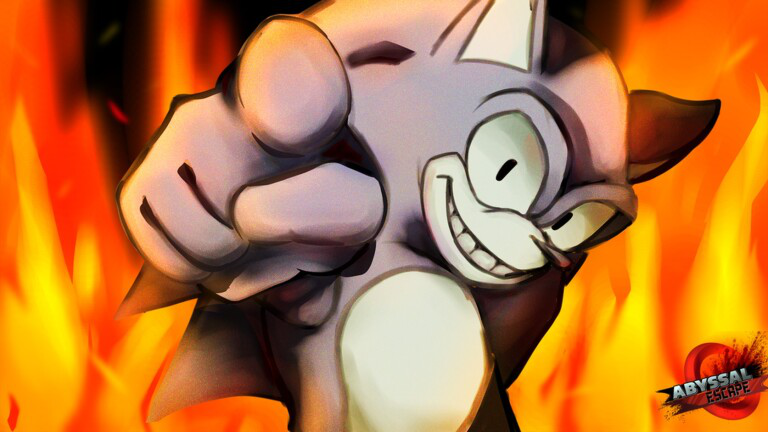
Abyssal Escape has quickly captured the attention of asymmetrical horror fans, particularly those invested in Sonic.EXE-inspired experiences and fan projects like Outcome Memories. Built on Roblox, the game combines tense survival mechanics with iconic character abilities, high-stakes chases, and atmospheric audio design.
Community reports indicate that the game draws heavy inspiration from classic asymmetrical multiplayer formulas. Players must either survive terrifying encounters or take on the role of powerful entities to hunt them down. Because the project receives frequent tweaks, expansions, and character additions, tracking changes on social media alone can be difficult. That is why players actively seek out direct communication channels.
| Feature Category | Details & Overview |
|---|---|
| Platform | Roblox (Asymmetrical Horror) |
| Core Themes | Survival, Sonic.EXE Crossovers, Action |
| Primary Hub | Abyssal Escape discord |
| Official Socials | X (@AbyssalEscape), TikTok Community |
Why Join the Abyssal Escape Discord Server?
Navigating a fast-paced game without a community guide can leave you at a major disadvantage. The official server offers direct access to patch notes, developer logs, and exclusive media drops that you won’t find anywhere else.
According to player experience and developer announcements shared across platforms like X and TikTok, the server acts as the central nerve center for everything related to the project. Whether you want to listen to the latest Chemical Plants update Original Soundtrack (OST) or check out character reworks like 17’s Beast form, the server keeps you informed.
| Benefit | Description |
|---|---|
| Direct Updates | Get real-time patch notes and release schedules straight from the creators. |
| Exclusive Media | Access full-length OST showcases, teaser clips, and sneak peeks. |
| Matchmaking | Find reliable teammates for survivor runs or custom matches. |
| Feedback Channels | Report bugs directly and share suggestions with developers. |
How to Connect and Find the Link
Finding the correct invite link requires a bit of caution, as fan-made servers and unofficial hubs are common on platforms like TikTok and Discord. To ensure you land in the right spot, check official developer profiles.
The creators regularly update their official X account (@AbyssalEscape) with the verified community link (discord.gg/abyssalescape). Always verify that you are joining the official space to avoid scams or outdated fan servers.
| Step | Action Required | Safety Tip |
|---|---|---|
| 1 | Visit the official X profile (@AbyssalEscape) | Never click random shortened links from unknown DMs. |
| 2 | Locate the pinned invite link (discord.gg/abyssalescape) | Verify follower counts and profile branding. |
| 3 | Accept the invite and review server rules | Complete any verification steps required by moderation bots. |
| 4 | Assign your roles | Select your preferred notification settings for updates. |
Community Highlights and Special Features
The community surrounding this asymmetrical horror title is remarkably active, often sharing speedruns, item collection guides, and strategic breakdowns. For instance, players frequently post 10-second item-grabbing routes and survivor survival guides on short-form video platforms, then direct viewers back to the Abyssal Escape discord for deeper strategy discussions.
Furthermore, community reports show that developers frequently interact with fans, responding to video creations, hosting Q&A sessions, and taking direct player feedback into consideration for upcoming patches. This open communication loop has helped foster a dedicated fanbase that rivals much larger commercial indie titles.
| Community Activity | Where It Happens | What Players Share |
|---|---|---|
| Speedruns & Guides | TikTok & YouTube Shorts | Item locations, escape routes, and juke spots. |
| Lore & Theories | Discord Discussion Channels | Connections to past projects and character backstories. |
| Music Showcases | Discord Audio/Media Drops | Pre-releases of new level tracks and remixes. |
Staying Safe While Networking Online
While participating in online gaming communities is a great way to make friends and improve your skills, maintaining good digital hygiene is essential. Keep these best practices in mind when engaging in public gaming servers:
- Never share personal information such as your full name, location, or login credentials.
- Ignore unsolicited direct messages offering free Roblox items, Robux, or external file downloads.
- Report toxic behavior or rule-breaking to server moderators immediately using built-in reporting tools.
For more information on general digital safety practices when browsing community forums, check out the CISA Cybersecurity Guidance.
Frequently Asked Questions
How do I find the official Abyssal Escape discord link?
You can find the verified invite link directly on the developers’ official X profile (@AbyssalEscape) or through trusted community showcases on TikTok. Always use the official discord.gg/abyssalescape address.
What kind of content is shared in the Abyssal Escape discord?
Members gain access to developer announcements, release timers, patch notes, official soundtrack (OST) previews, and channels dedicated to player strategy and feedback.
Do the developers interact with the community?
Yes! Player experience reports and creator spotlights show that the development team frequently reads feedback, interacts with fan creations, and posts updates directly within the server.
Is Abyssal Escape available on platforms other than Roblox?
Currently, the game operates primarily as a Roblox experience, with community discussions, fan art, and news centralized around Roblox group pages and social media platforms.